Cabinet makingVersion 1.0
 Cabinet from blockRevised!
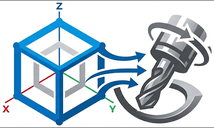
Point at a solid block and it becomes a cabinet with exactly the same outer sizes.
Cabinet from blockVideo coming soon
Lay out the space with a block first, then turn it into a cabinet with one click. A ghost shows the cabinet inside the block beforehand. All Carcass settings apply: construction, back panel, thicknesses and materials. Right after creating, Tab or the right-click menu still change the cabinet.
What it does
- Block becomes cabinet, same outer sizes
- Ghost preview first
- All Carcass settings
- Flip the front with arrow up/down
Works with
SketchUp 2026 on Windows. Interface in Dutch, German, English, French, Italian and Spanish.
More in this category
CarcassVideo coming soon
Cabinet making
 Carcass
Draw a rectangle, pull it up and the complete cabinet carcass is there.
ViewShelves and dividersVideo coming soon
Cabinet making

 Shelves and dividers
Divide shelves and dividers over the free space, evenly or with fixed compartment sizes like "300 # #".
ViewDrawersVideo coming soon
Cabinet making
 Drawers
Blum LEGRABOX or self-built drawers on MOVENTO, correctly sized in one click.
View